Red and Green 3 Cooperative Adventure
Review
Red and Green 3 offers a delightful cooperative experience for two players. The increasing difficulty keeps gameplay engaging, and the candy collection adds a fun scoring element. The family-friendly design ensures it is safe for all ages. Communication and timing are key, making it a rewarding activity for siblings, friends, or parent-child play. The 10 chapters provide a good amount of content for casual sessions.
About This Game
Game Introduction
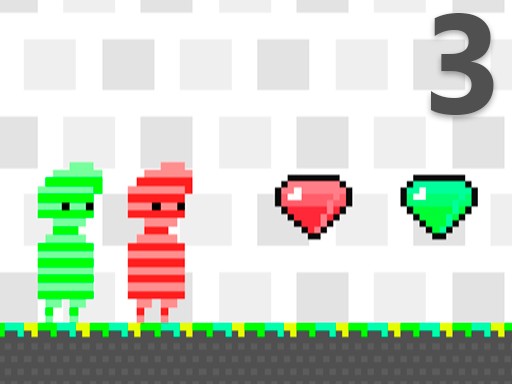
Red and Green 3 is a cooperative arcade adventure designed for two players. The game celebrates the friendship between the Red man and the Green man as they journey through 10 unique chapters. Each level is filled with colorful environments and obstacles that require teamwork to overcome. Players must collect as many candies as possible to earn points while avoiding lasers that end the game. The simple controls and increasing difficulty make it a perfect choice for friends and family looking for a fun, shared experience.
How to Play
To play Red and Green 3, two players control Red and Green at the same time. Use the arrow keys or designated buttons to move each character. Work together to navigate through each level, collecting candies scattered around to increase your score. Be careful to avoid lasers, as touching them ends the game immediately. Communication and timing are essential for success. The game ends when both players fail, so cooperation is key to reaching the finish line across all 10 chapters.
Game Features
Game features include cooperative two-player gameplay, 10 chapters with increasing difficulty, candy collection for points, laser avoidance challenges, and a family-friendly design that is safe for all ages. The game promotes teamwork and coordination, making it an ideal activity for siblings, friends, or parent-child play sessions.
Tips for Success
To succeed in Red and Green 3, communicate constantly with your partner to coordinate movements and avoid lasers. Practice timing your jumps and dashes to collect candies efficiently. Pay attention to each level's layout and plan your route together. Stay patient, as later chapters become more challenging. Remember that both players must survive, so prioritize safety over speed.